
1. What this guide helps you accomplish
AI Doer can assist creators with daily account operations, trending content research, AI short video production, social media copy generation, and proactive customer acquisition. Creators can concentrate their originally scattered work in an AI agent to improve the efficiency of social media operations.
As content and real interactions continue to accumulate, this process can help the account gain more exposure, views, and followers, and further generate user inquiries, sales leads, and potential customers, gradually establishing a complete social media operations system spanning content production, traffic growth, and customer acquisition and conversion.
When using automated functions, you should use your own legally held or authorized social media accounts, and abide by the content publishing, commenting and DM rules of each platform.
2. Video course: The complete workflow in 7 lessons
This seven-lesson video course maps directly to the seven phases in the written tutorial below. Follow the course in order for the complete workflow, or go directly to the lesson that matches your current stage.
The English course is hosted on YouTube. Select any lesson below to watch the corresponding video in a new window.
- Lesson 1|Prepare your tools, accounts, and operating environment
- Lesson 2|Build your social profiles and begin account warm-up
- Lesson 3|Research top accounts and build a video topic library
- Lesson 4|Create short videos with AI Doer
- Lesson 5|Generate platform-specific copy and publish
- Lesson 6|Build a daily operating rhythm and keep improving
- Lesson 7|Begin proactive outreach after organic traffic builds
3. Written tutorial: Follow the complete SOP in operational order
The written tutorial below follows the actual sequence of operations. Use it to work through each phase, return to individual steps as needed, or follow it alongside the corresponding video lessons above.
Phase 1: Complete preparation of tools, accounts and operating environment
Before formally beginning operations, first prepare AI Doer, the browser extension, the social media environment, and compliance requirements, to avoid being unable to publish content smoothly or direct traffic after the content has been produced.
1. Install AI Doer, Google Chrome, and the OpenCLI extension
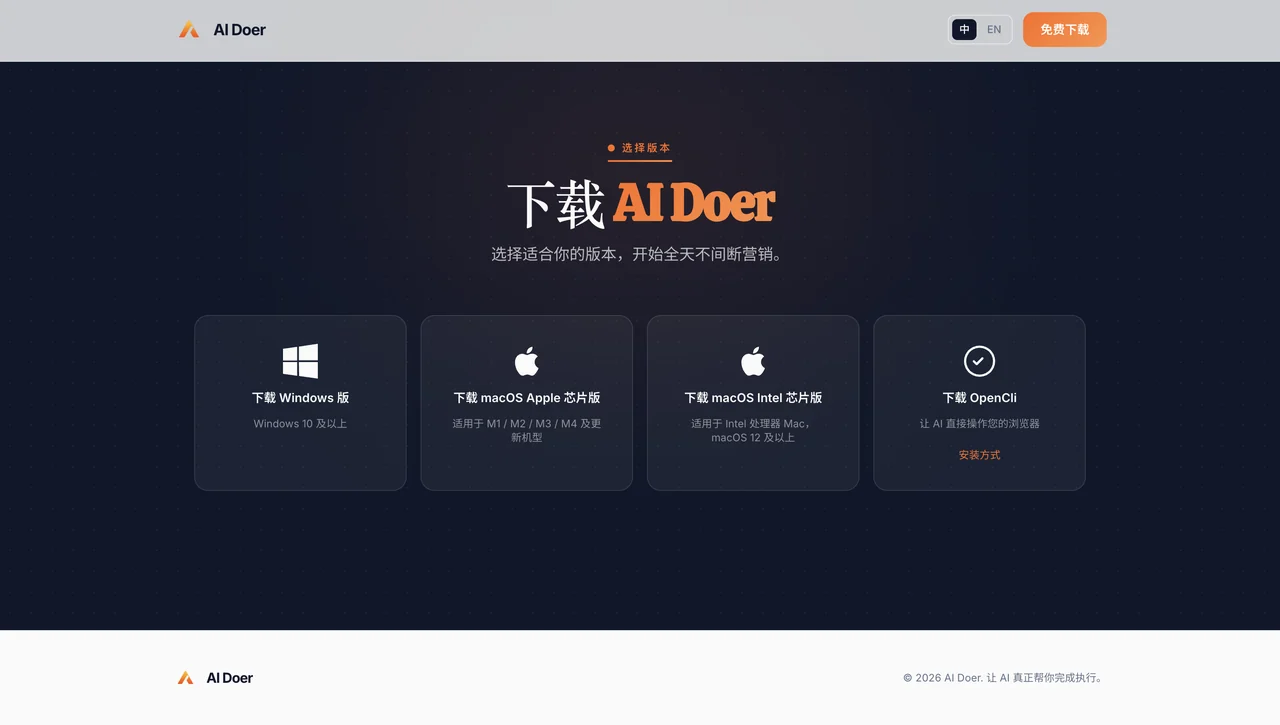
1.1 Visit the AI Doer website, download and install the corresponding version for your operating system:
- Download address: https://aidoer.ai/download
- Windows;
- macOS Apple chip version;
- macOS Intel chip version.
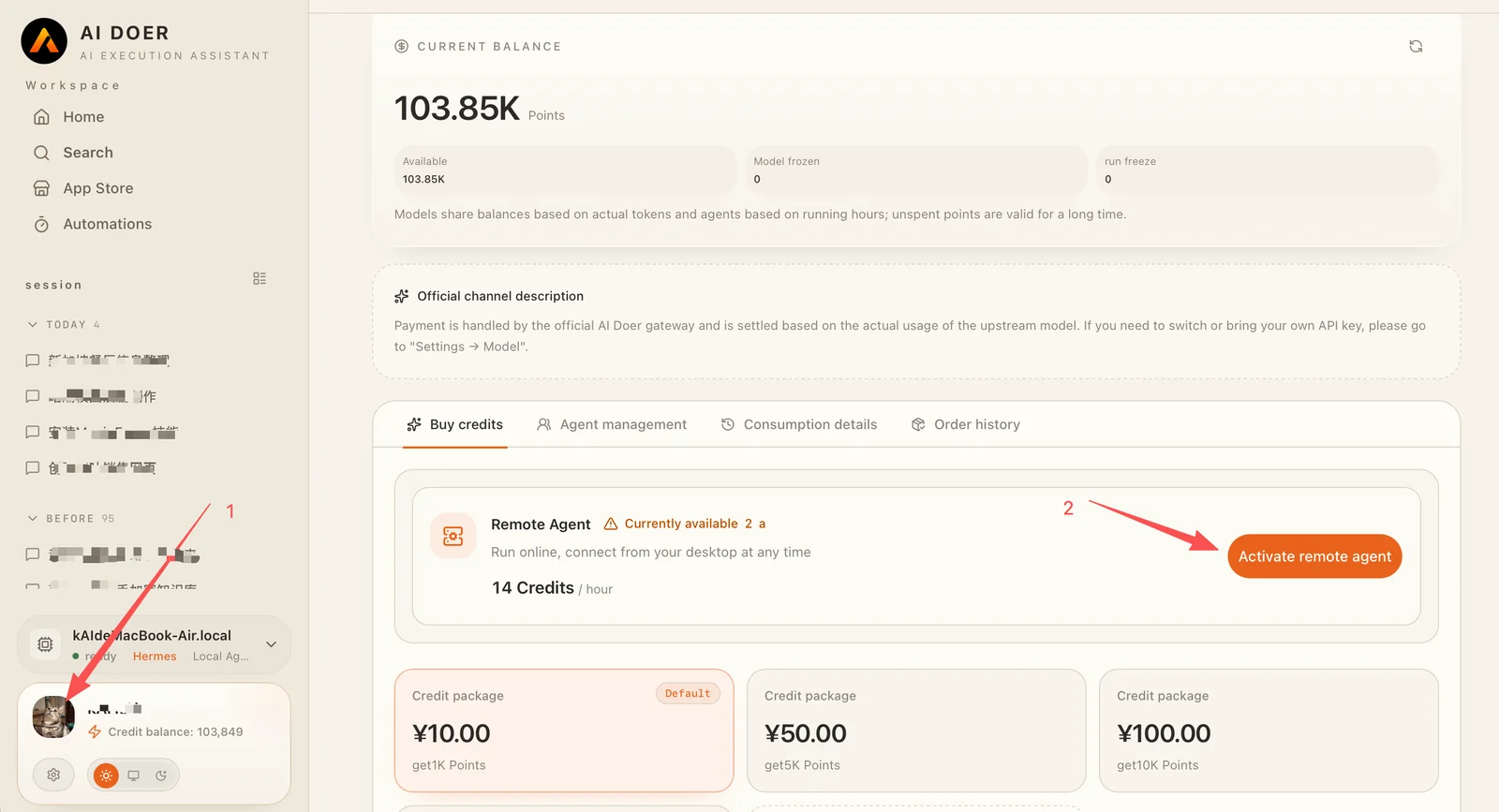
After installing AI Doer, Windows users need to purchase and activate the Remote Agent; Mac users can choose to use the Local Agent or Remote Agent according to their needs.
Purchase and activate Remote Agent:
- Click on the personal avatar in the lower left corner;
- Click "Enable Remote Agent" and follow the page prompts to complete the purchase and activation.
AI Doer supports multiple AI models. Different models have their own advantages in performance, response speed, and usage cost: Chinese models are generally more cost-effective, while U.S. models perform better in complex task processing and overall performance. Users can choose flexibly according to the specific task, budget, and desired results.
1.2 Download Chrome. Download address: https://www.google.com/intl/zh-CN/chrome/
1.3 At the same time, install the OpenCLI extension in Chrome. Only after the installation is complete can AI Doer operate the browser, access social media, and perform related work according to the task requirements.
- Option 1: Manual installation
- Click the button above to download the OpenCLI installation package (.zip file)
- Unzip the downloaded .zip file to any folder
- Open Chrome, enter chrome://extensions/ in the address bar and press Enter
- Turn on the "Developer Mode" switch in the upper right corner
- Click "Load unpacked" in the upper left corner
- Select the folder extracted in step 2
- After installation, AI Doer can operate the browser through OpenCLI
- Option 2: Download from the Chrome Web Store
- Visit OpenCLI in Chrome Web Store and click "OpenCLI"
- Click "Add to Chrome"
- After installation, AI Doer can operate the browser through OpenCLI
2. Determine target market and content direction
First identify a main market and a main content category. For example:
- Target market: United States, Spain or Latin America;
- Content direction: BL drama, corporate customer acquisition, e-commerce, local services, etc.;
- Main language: English, Spanish or a language commonly used in the target region;
3. Prepare social media operations environment
The basic process is as follows:
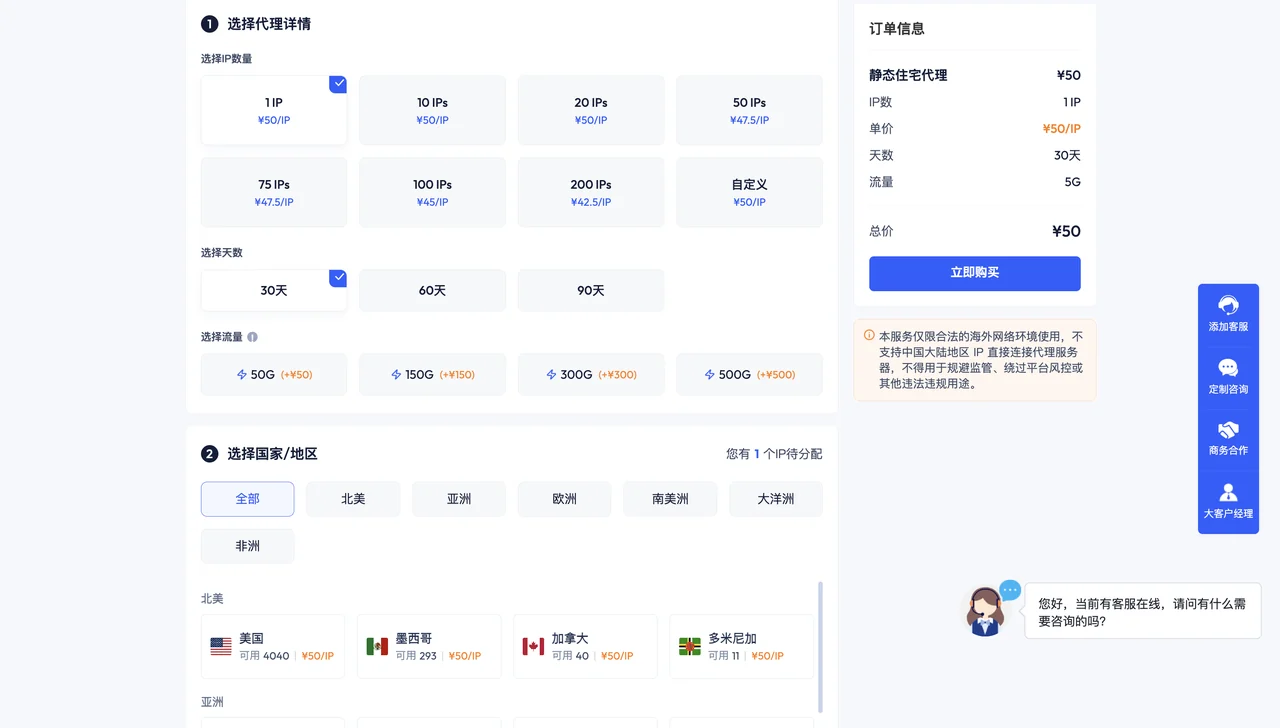
- Prepare a stable network environment that matches the target region: purchase a stable proxy IP that matches the target region; purchasing a static residential proxy IP is recommended. Choose a trustworthy service provider according to the target market
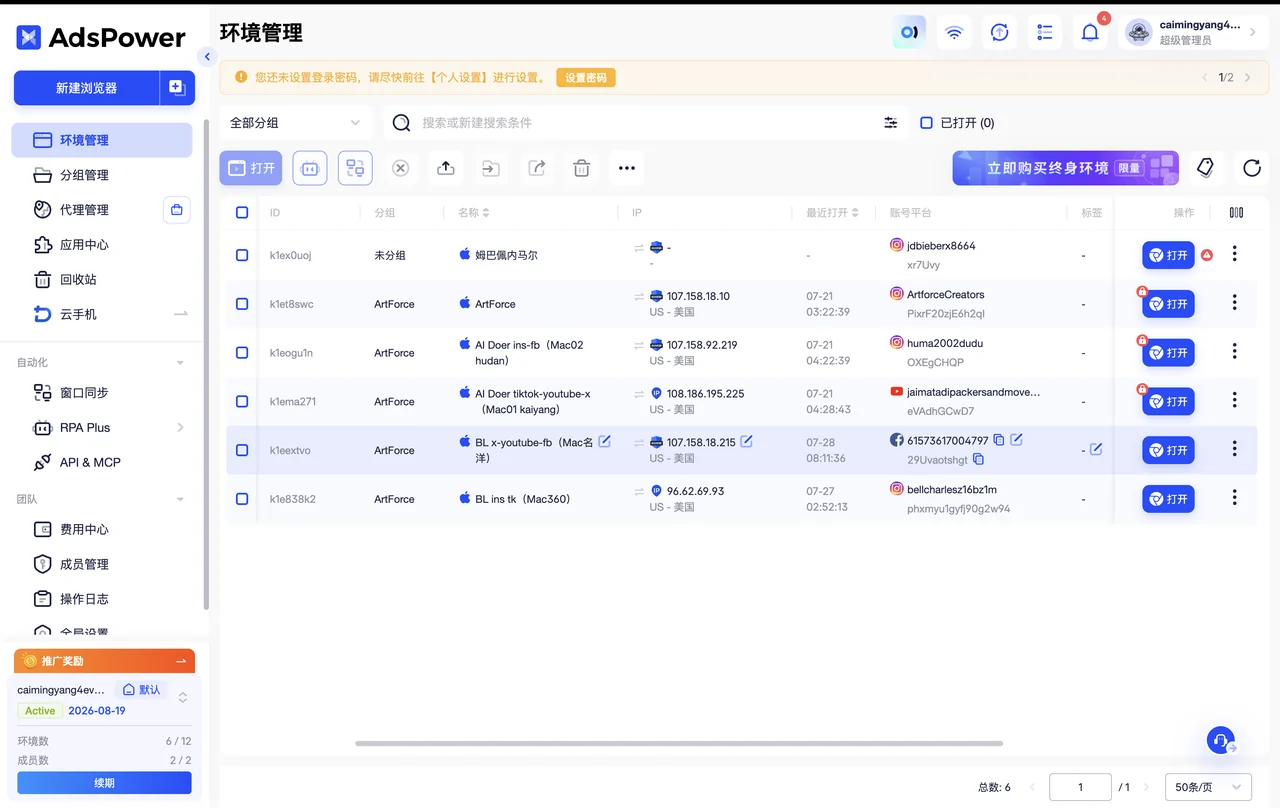
- Create independent browser environments for different accounts in AdsPower: AdsPower;
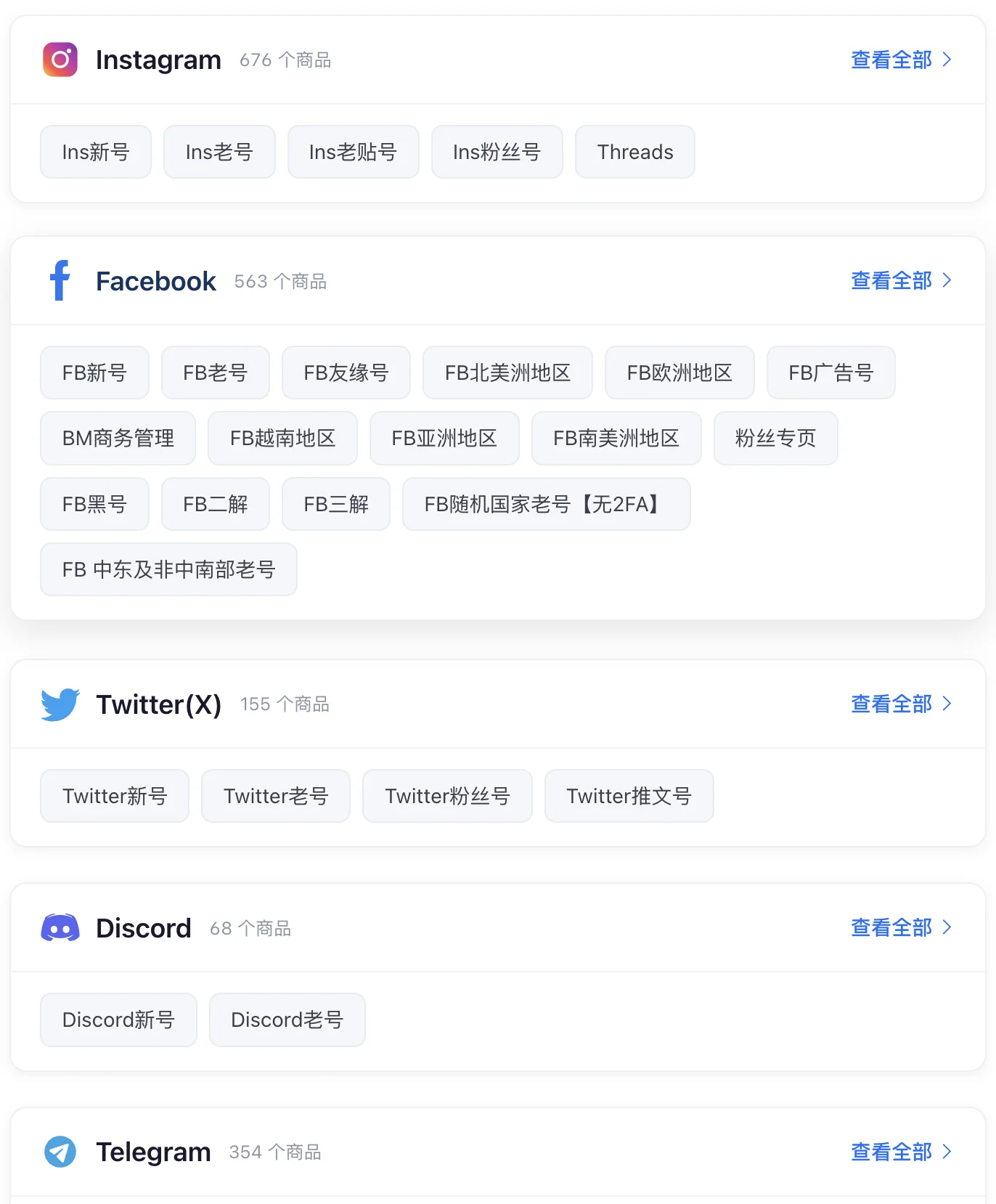
- Prepare Instagram, Facebook, YouTube, X, TikTok, and other accounts; accounts can also be purchased. Purchase website: Account Environment Preparation Reference
Do not frequently switch the same account between multiple environments, and do not immediately perform a large number of posting, commenting, or DM operations in succession after activating a new account.
Output at this stage
- AI Doer and OpenCLI extensions can be used normally;
- Clear target market, language and content direction;
- Social media accounts that can be logged in normally and an independent operating environment;
Phase 2: Build social media homepage and conduct initial account operations
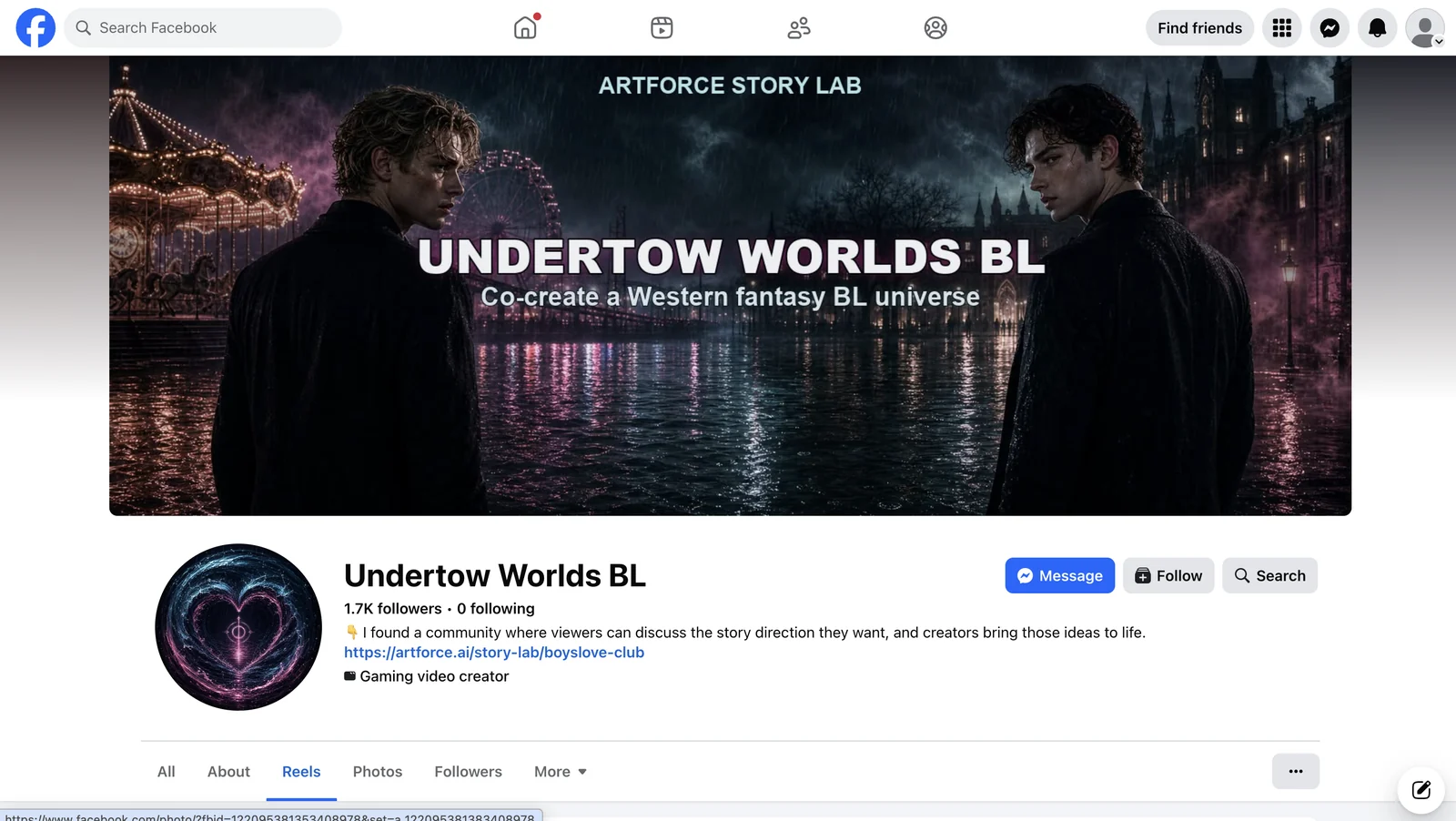
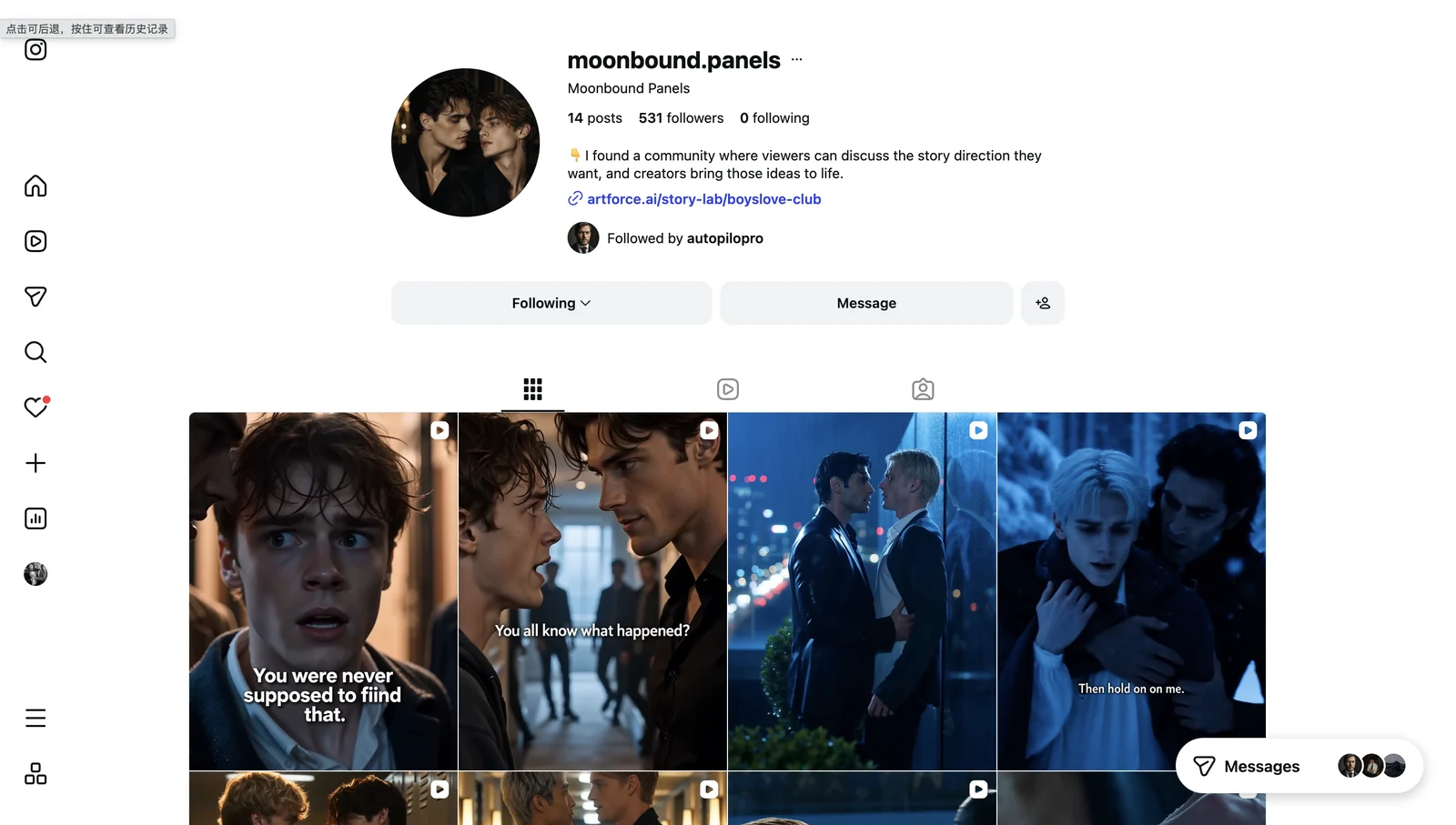
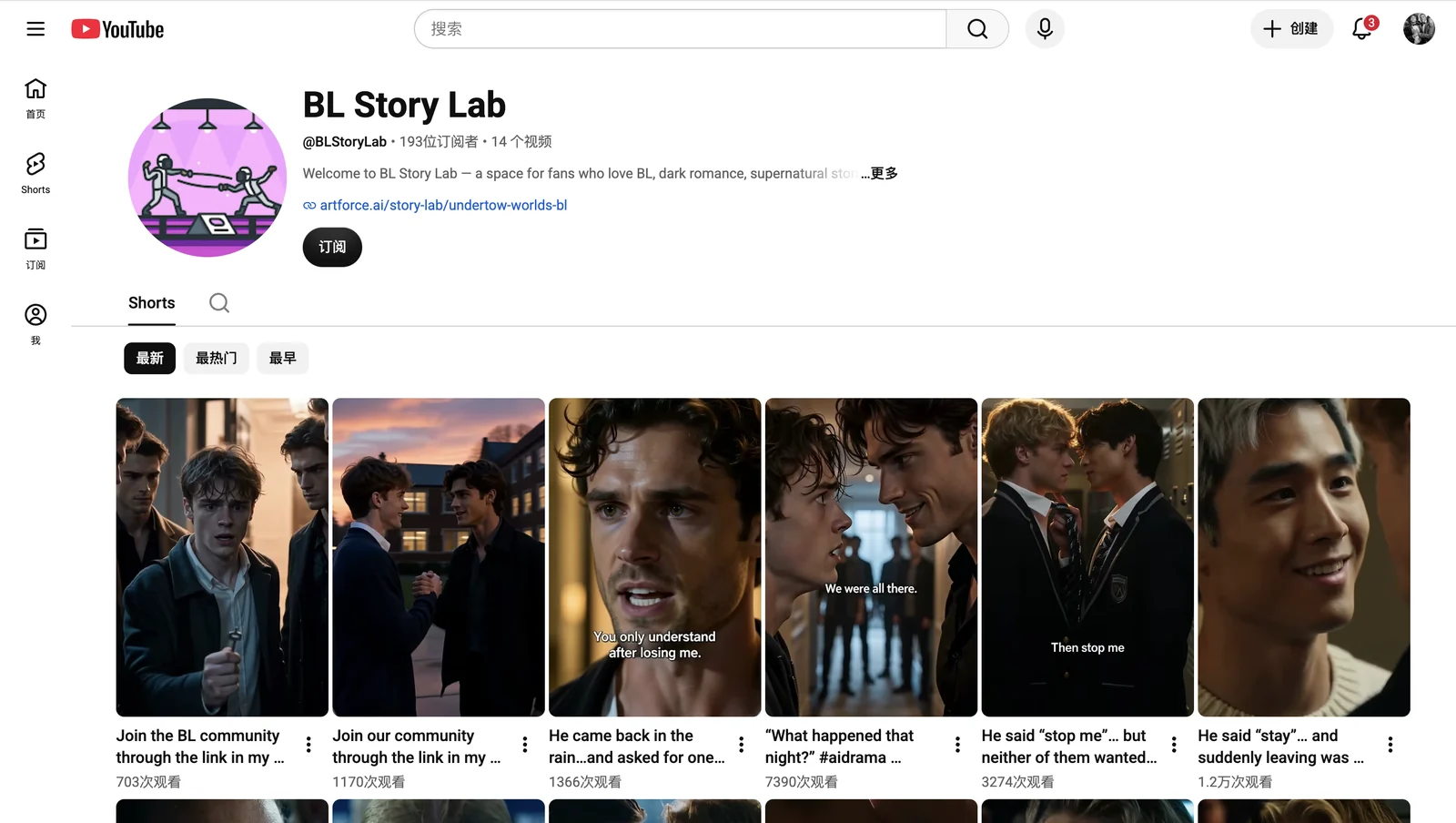
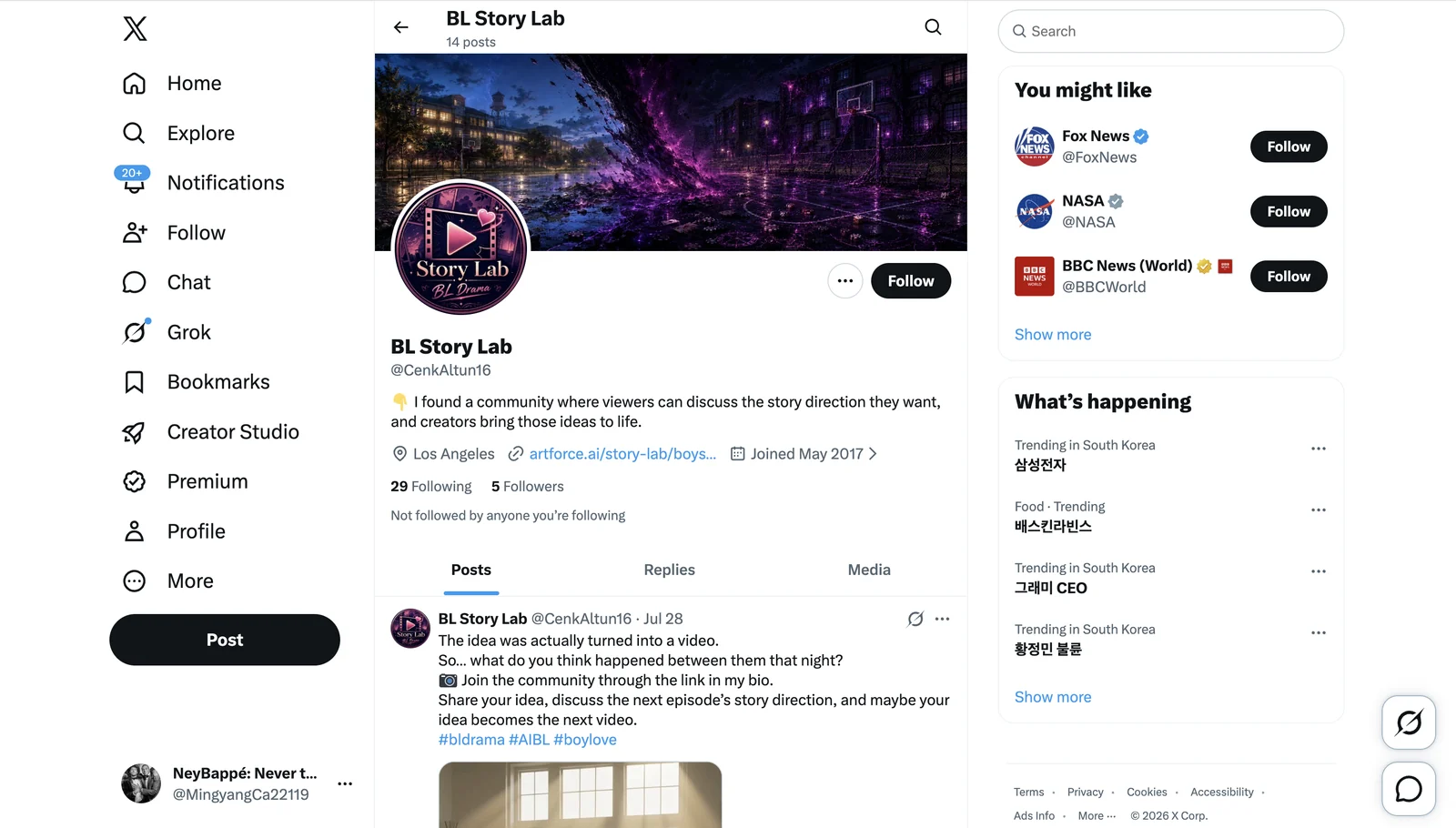
1. Improve social media homepage
The homepage of each platform should be consistent and easily identifiable:
- Use an avatar and name consistent with the direction of the content;
- The bio clearly states the content type;
- Add the corresponding official website link to the Bio;
- First prepare a small amount of basic profile content, and then begin actively driving traffic.
2. Use the account warm-up assistant for initial operations
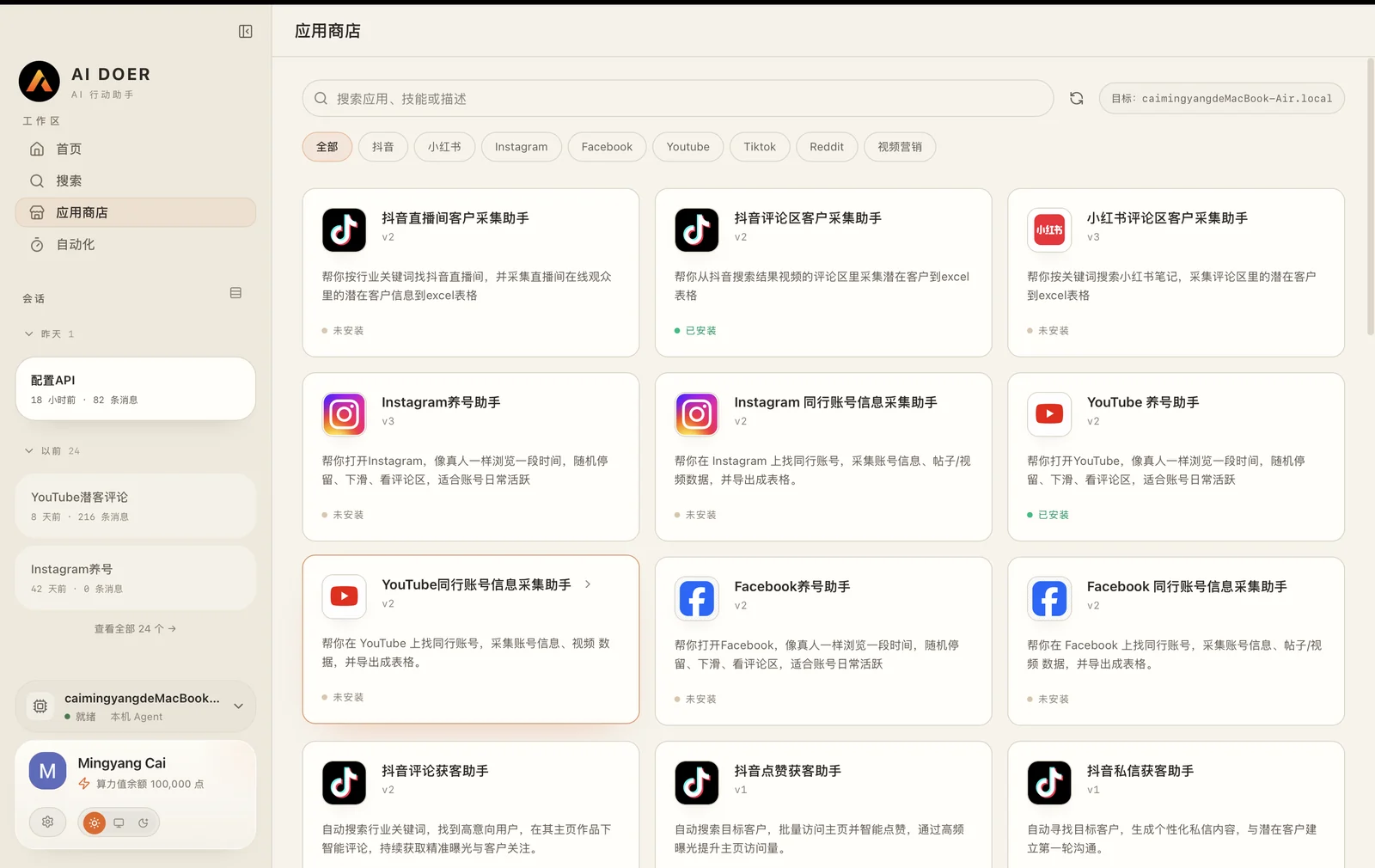
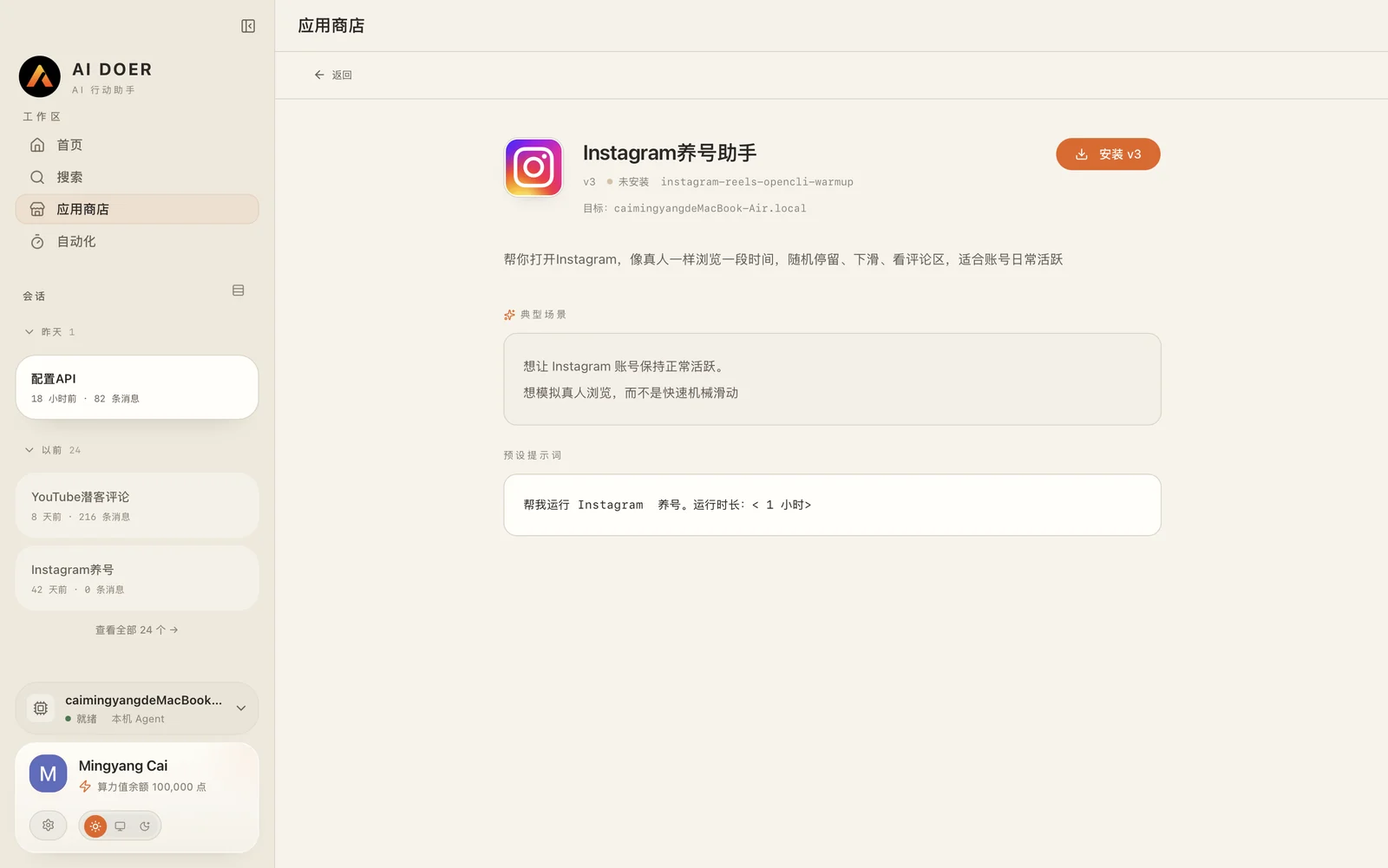
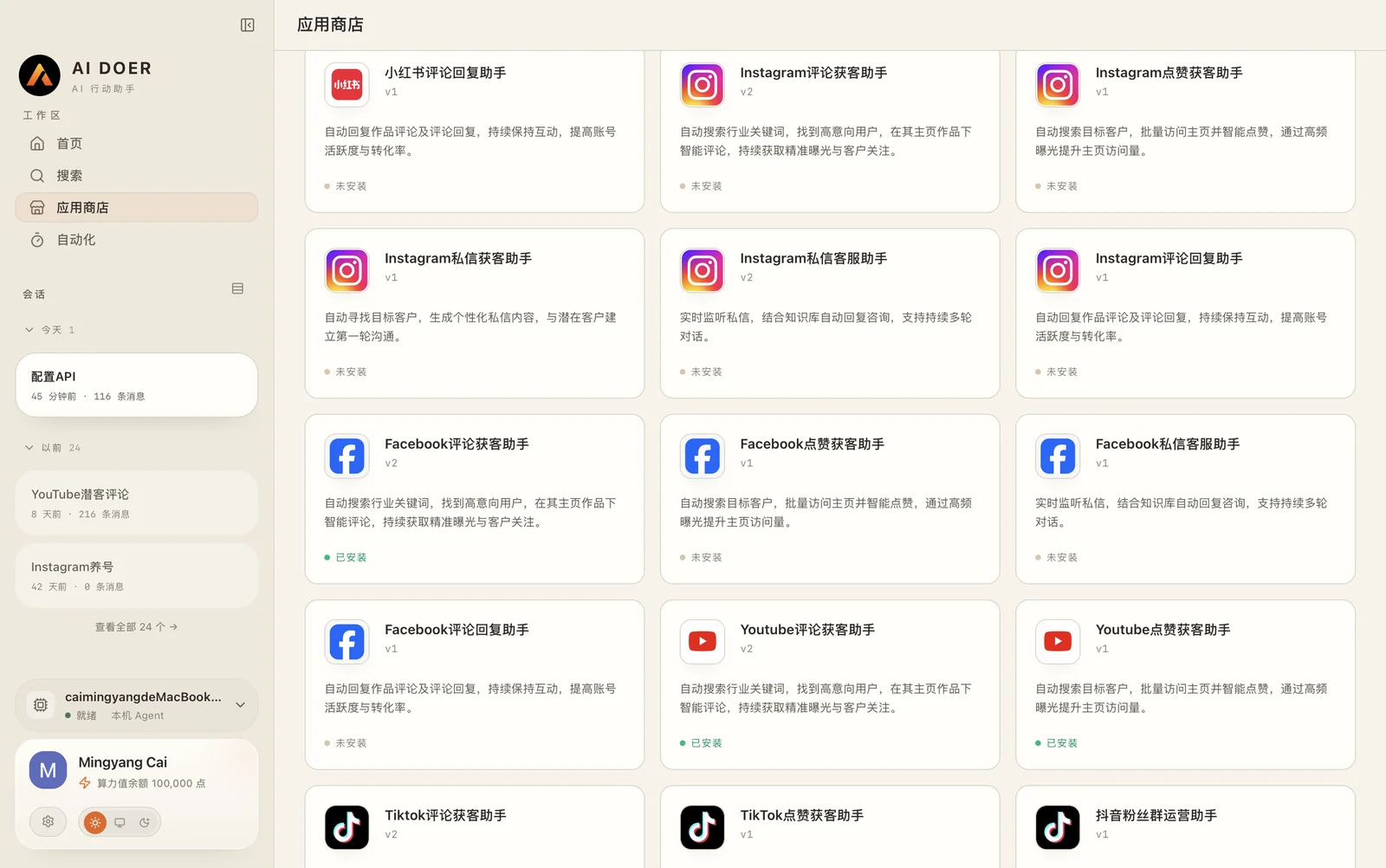
After obtaining a new account, it is not recommended to immediately publish large amounts of content, post comments, or send DMs in succession. In your spare time, you can use the Instagram, Facebook, YouTube, and other account warm-up assistants in the AI Doer App Store to help with:
- Browse content in the target field;
- Spend a normal amount of time viewing content and scrolling;
- Check the comments section;
- Observe trending content and user preferences;
- Gradually form normal usage records.
All automated operations should be kept at a reasonable frequency. Let new accounts familiarize themselves with the platform’s content ecosystem at a normal pace, and at the same time accumulate materials for subsequent topic selection.
Conditions for entering the next stage
- Profile information and Bio links are complete;
- The account can log in stably and browse normally;
- A batch of accounts in the target niche have been observed and recorded;
- There are no abnormal verification or functional restrictions on the account.
Phase 3: Research trending accounts and establish a video topic library
After the account preparation is completed, do not generate videos in batches immediately. You should first understand which content is trending in the target market, what characters and plot structure users like, and then determine the direction of the subsequent video production.
The “topic library” here is the list of video content that the creator plans to produce in the future. Topics can come from original scripts, or they can reference trending accounts and works that have already demonstrated traffic performance in the market.
1. Use AI Doer to collect peer accounts
Search requests can be made directly to AI Doer, for example:
Please help me find trending accounts on Instagram that have recently published AI live-action short dramas, BL dramas, or AI drama clips, and sort out the account names, homepage links, links to representative works, publication dates, engagement performance and main content features.
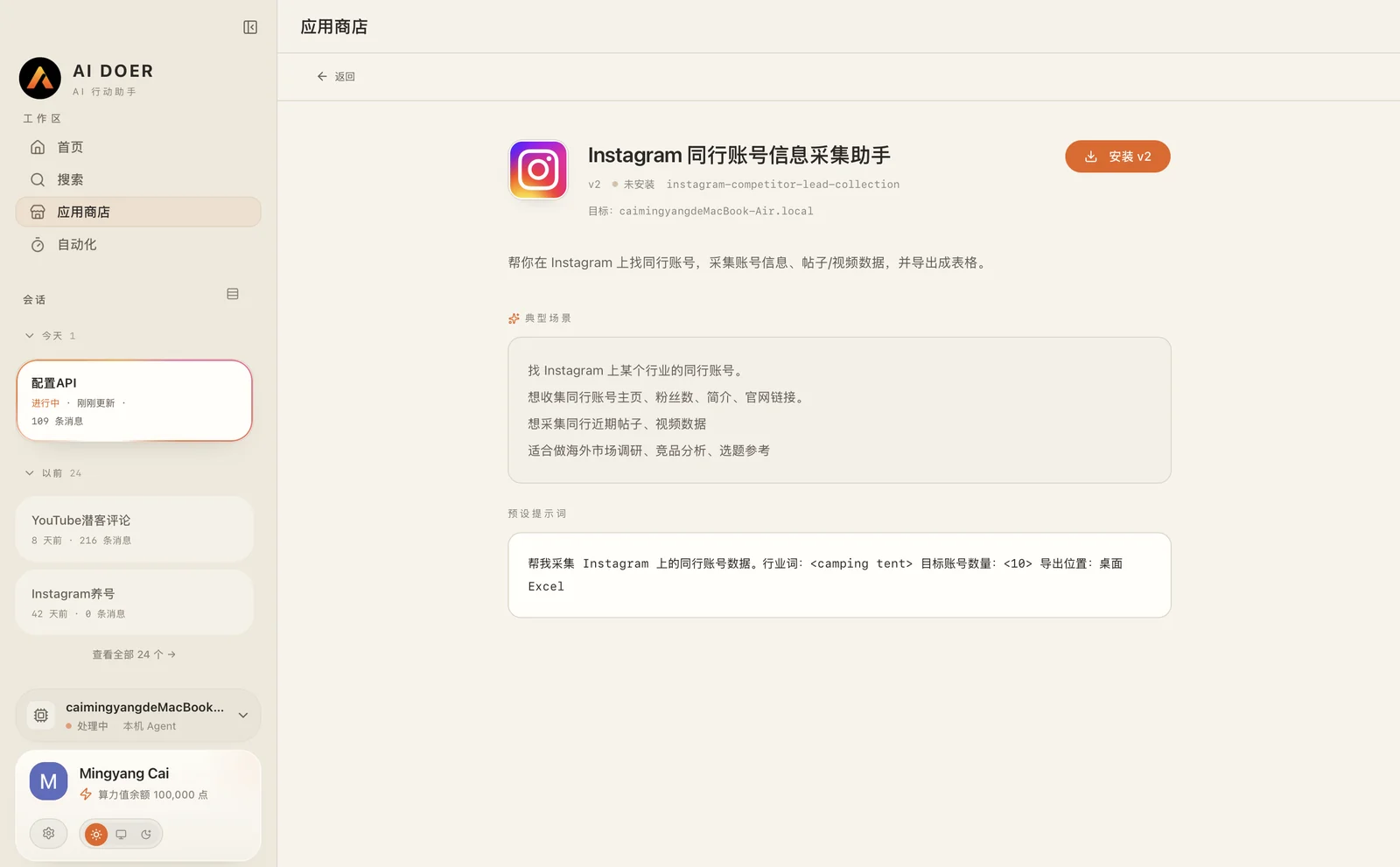
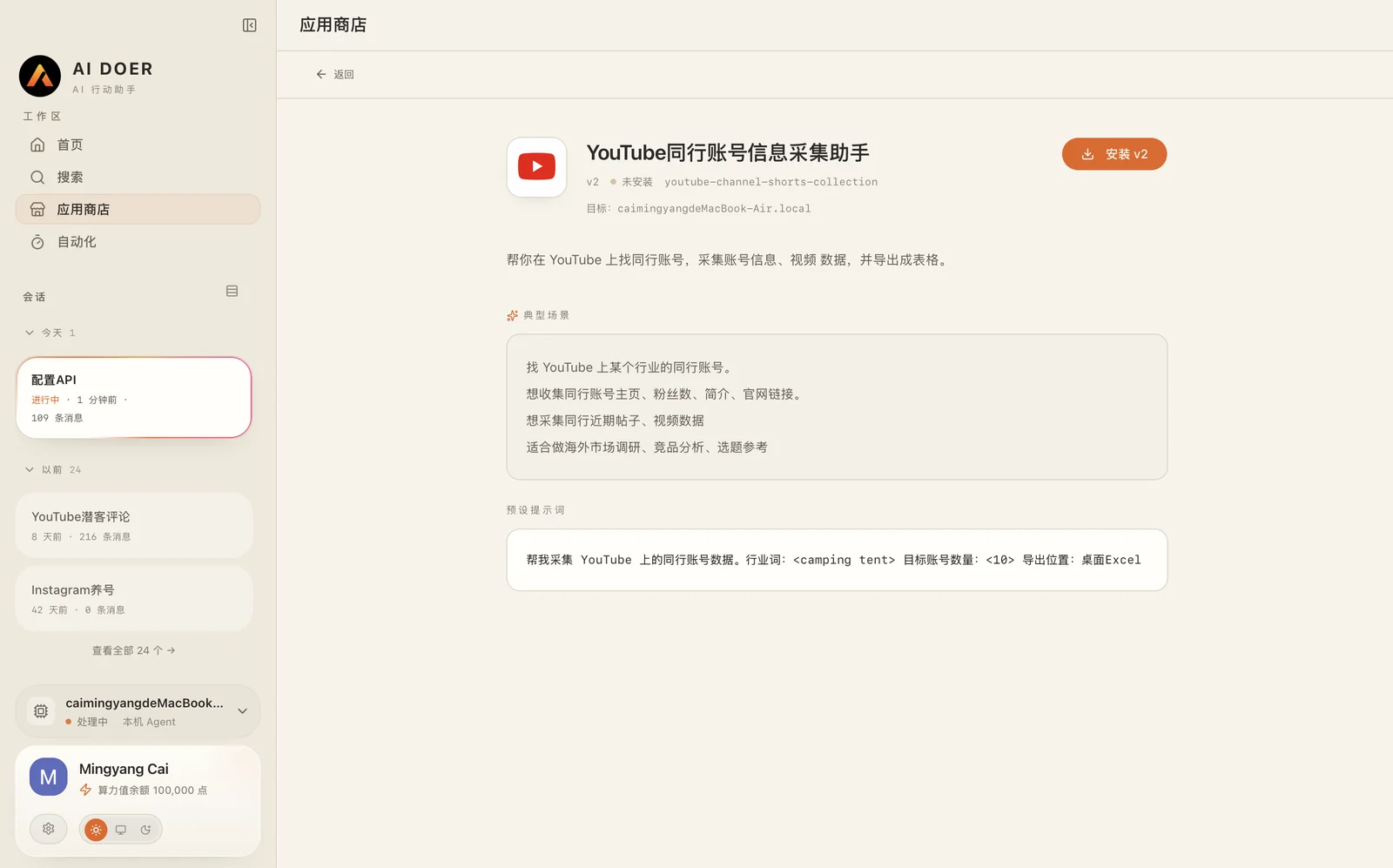
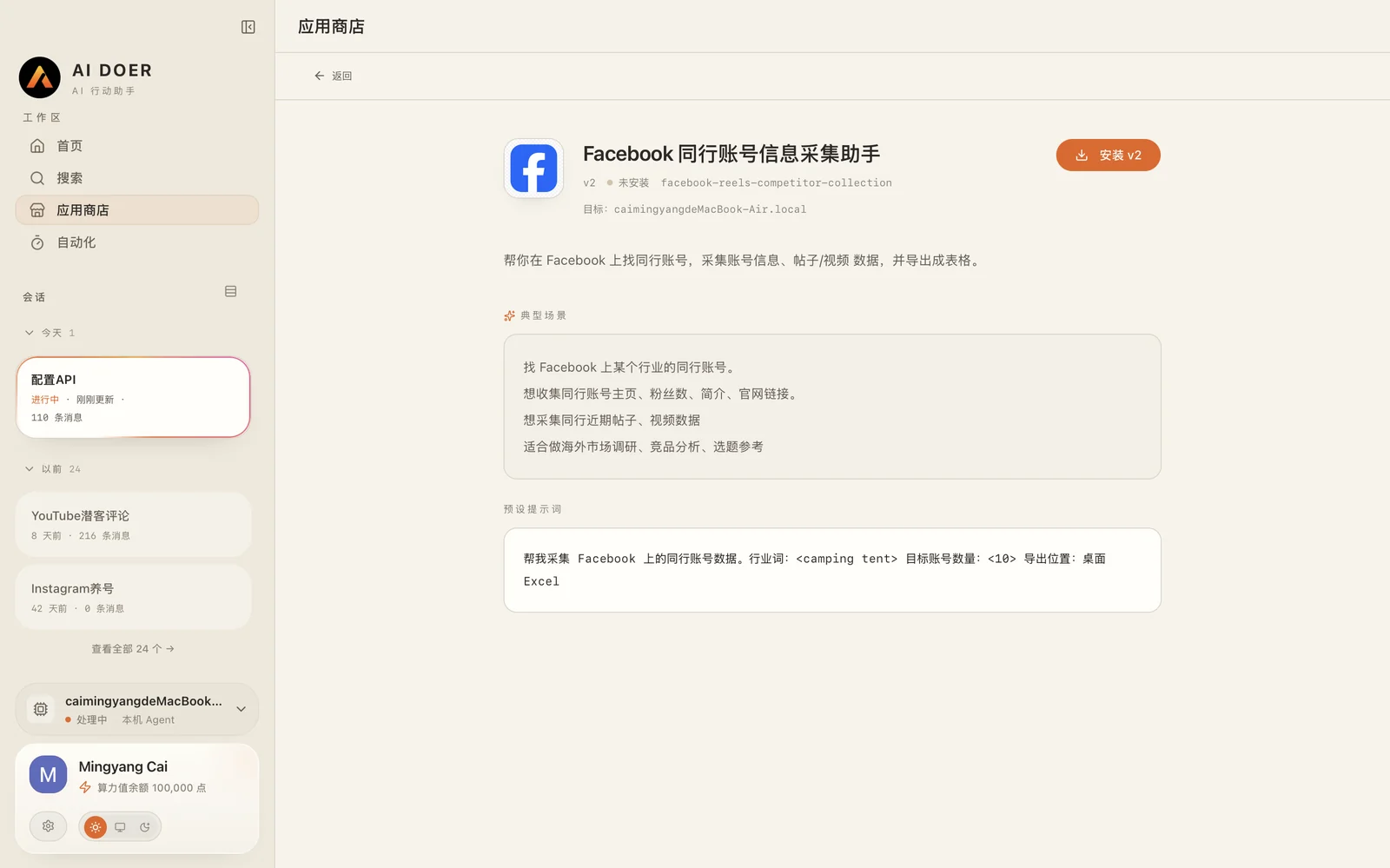
In addition to searching through direct conversation, you can also use the preset “Peer Account Information Collection Assistant” for each platform in the AI Doer App Store to collect relevant account and work data from Instagram, Facebook, YouTube, TikTok, and other platforms.
Enter the target keyword when using it, for example:
- AI BL Drama;
- MM Romance;
- Gay Short Drama;
- AI Realistic Drama;
AI Doer will help creators search for relevant accounts and organize account information, representative works, and content performance for subsequent unified screening.
2. Filter trending accounts and videos worth referring to
Creators should focus on observing:
- Whether the subject matter is consistent with your Drama direction;
- Whether the character’s appearance conforms to the aesthetics of the target market;
- Whether there is a clear mood or plot hook in the first three seconds;
- Whether the character relationships and conflicts are easy to understand;
- Whether the video length and shot structure are suitable for short video dissemination;
- Whether there are users in the comments section who actively discuss the plot and character relationships;
- Which types of videos have repeatedly received high views and interactions in this account.
Don’t just look at the views of a single video, but also observe which character combinations, relationship patterns, and plot structures within the same account consistently receive engagement.
3. Define the character appearance for the target market
Before establishing a topic library, you need to determine the visual direction of the characters you will use for a long time to avoid completely different character styles in each video.
It is recommended to clarify in advance:
- target market;
- The age range in which the characters are all adults;
- Facial style preferred by European, American, Latino or other target groups;
- Hair style, skin color, body shape and clothing;
- Commonly used character relationships;
- Commonly used scenes and overall picture style.
For example, when targeting Western BL audiences, you can preset:
Two adult Western male characters aged 20-28: one athletic, outgoing, and impulsive, and the other elite-looking, calm, and restrained. Use an overall realistic cinematic style, with common settings including campuses, dormitories, rainy nights, offices, and dangerous missions.
These character settings can be used repeatedly in different videos, allowing the account to gradually develop a stable and easily identifiable character aesthetic.
4. Determine the source of topic selection
Video topics can mainly come from three directions.
Original plot
Creators can write their own short scripts and break them into 15-20 second video scenes.
Trending-content references
You can refer to the following elements that have already proven effective in trending accounts:
- core relationships;
- Plot conflict;
- opening hook;
- suspense setting;
- Shot rhythm;
- Emotional propulsion methods.
Output at this stage
After completing the research on trending accounts and content, creators should form a relatively clear video content idea, including:
- What type of plot are you planning to produce?
- What character images and relationship settings are mainly used;
- What picture and emotional style the video adopts as a whole;
- Plan to refer to proven content formats.
Phase 4: Use AI Doer to make short videos
Choose a topic from the topic library and use AI Doer to create a new short video. The role of short videos is not to tell a complete story, but to attract users with conflict and suspense.
1. Standard short-video structure
Each short video should contain:
- The plot hook in the first three seconds;
- A small scene that is easy to understand;
- Romantic tension, danger, misunderstanding or relationship conflict;
- An unresolved problem;
- A CTA that guides users.
Questions that can be used include:
What happened that night?
Why is he protecting him?
What should happen next?
2. AI Doer video production prompt
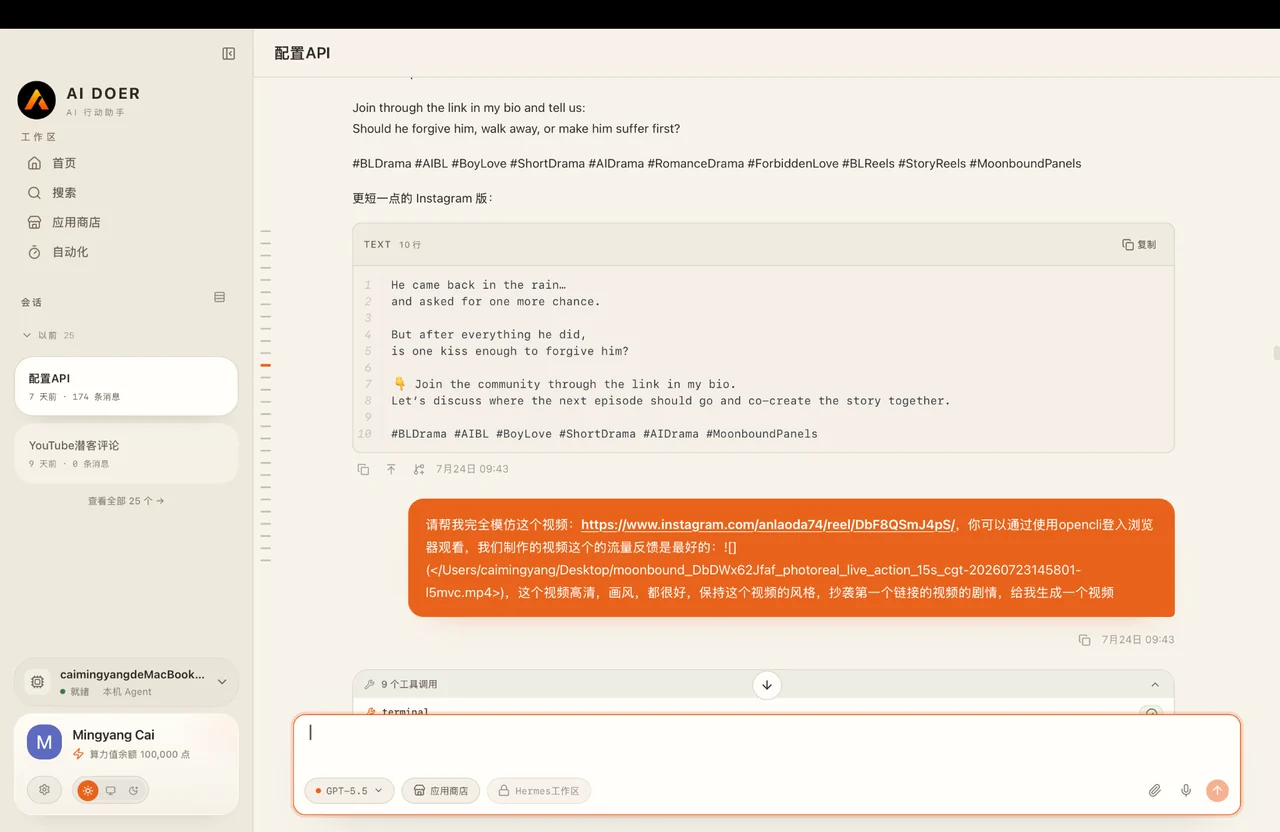
Please use the plot structure and shot rhythm of this video as a reference (insert the link to the trending video we found on social media in the previous phase) and create a new AI short video for me. The video aspect ratio should be 9:16, its duration should be limited to 15-20 seconds, and it should use adult characters with a Western appearance. Completely imitate the plot structure of the original video, and redesign the characters according to our Drama direction. After completing the video, send the video file to me in this chat.
3. Manual review before publishing
After the video is generated, it must be manually checked:
- Picture clarity and composition;
- Consistency between character appearance and the product;
- The characters are all adults required for the setting;
- Subtitles are accurate and do not obscure the subject;
- Plot logic and continuity between shots;
- No visual discontinuities or broken shots;
- Platform content policy and target market compliance;
If any problems are found, fix them first; do not proceed directly to batch publishing.
Output at this stage
- A 9:16 short video of about 15 seconds that has passed manual review;
- A plot question corresponding to the video;
Phase 5: Generate platform-specific copy and publish it
After the video is produced, let AI Doer generate posting versions for different platforms based on the content.
1. Copywriting prompt
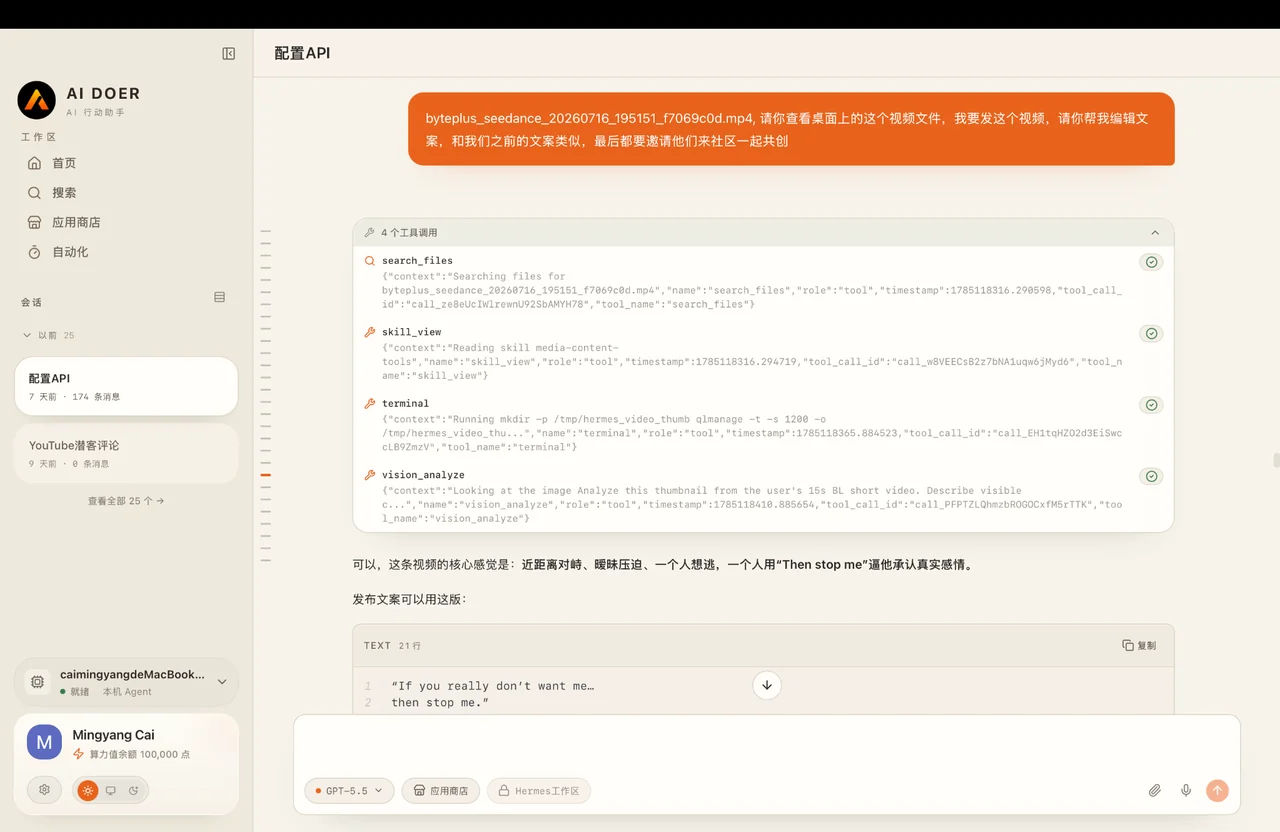
Using the video you just generated, write English post copy for Instagram, Facebook, TikTok, YouTube Shorts and X respectively. Use a plot hook at the beginning, a brief explanation of the conflict in the middle, and a specific question at the end that directs viewers to the link in the bio. Please adjust the title, text length, number of tags, and CTA according to the characteristics of each platform. Do not output the exact same copy for all platforms.
2. Adjust according to platform
- Instagram: Emphasis on emotions, character relationships and a few related tags;
- TikTok: The copy is shorter and highlights suspense and questions;
- Facebook: Add a small amount of plot background and discussion guidance can be added;
- YouTube Shorts: Use a clear title and write the core question into the description;
- X: Use short hooks, videos, and a direct discussion question.
3. Maintain a stable publishing frequency
It is recommended that each social media account publish 1-2 videos every day.
In the early stage, it is more important to continuously update than to publish a large amount of content in a short period of time, so that the platform can gradually identify the content direction of the account, and also allow users to form stable expectations.
Daily posts can include:
- New independent plot segments;
- The next episode of the previous video;
- A version remade according to comments;
- Product explanation.
Confirm before publishing:
- The video is 9:16 vertical;
- There is a clear hook in the first three seconds;
- Subtitles are clear;
- Include questions at the end of the copy;
- Links in Bio can be opened normally.
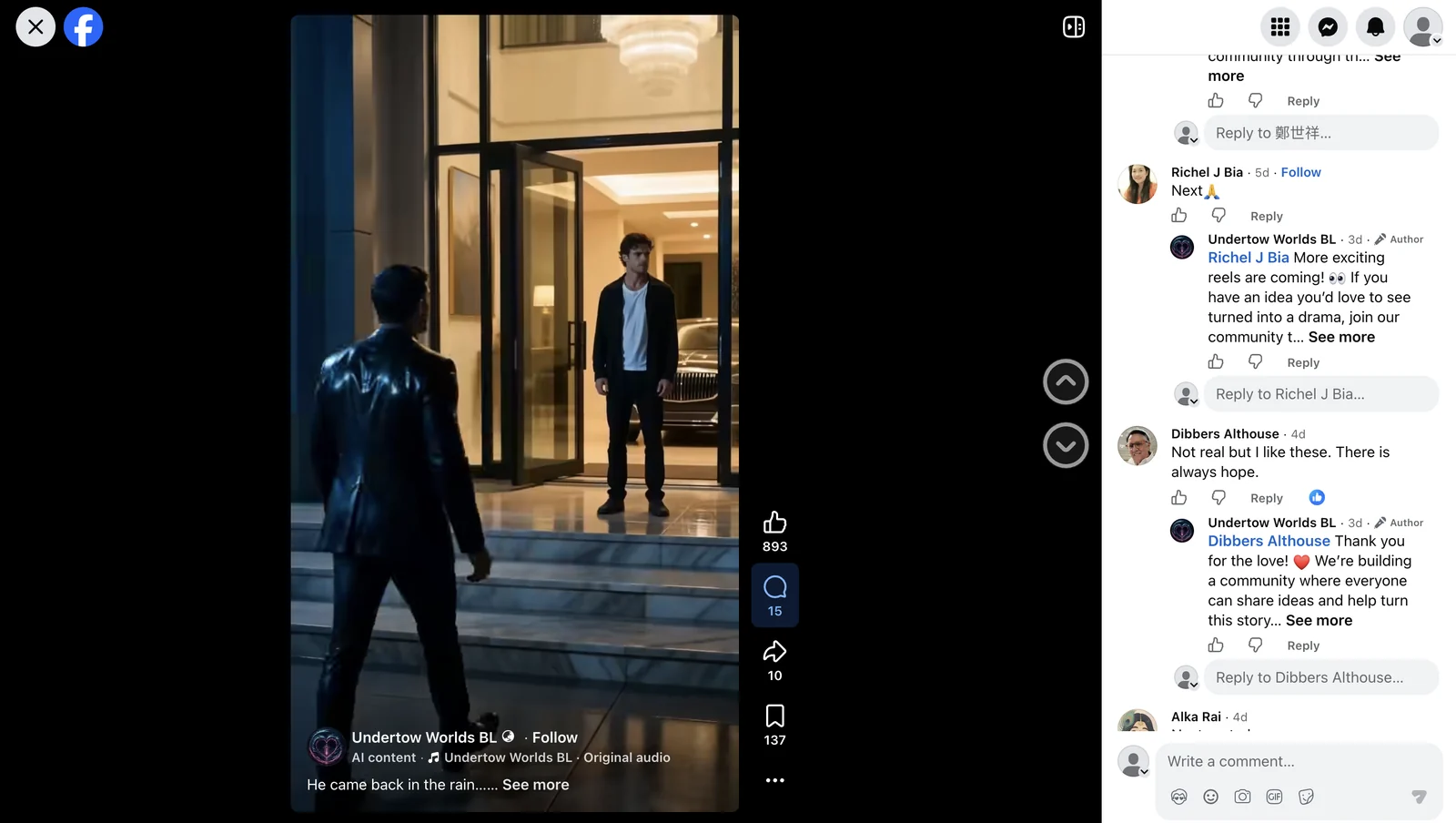
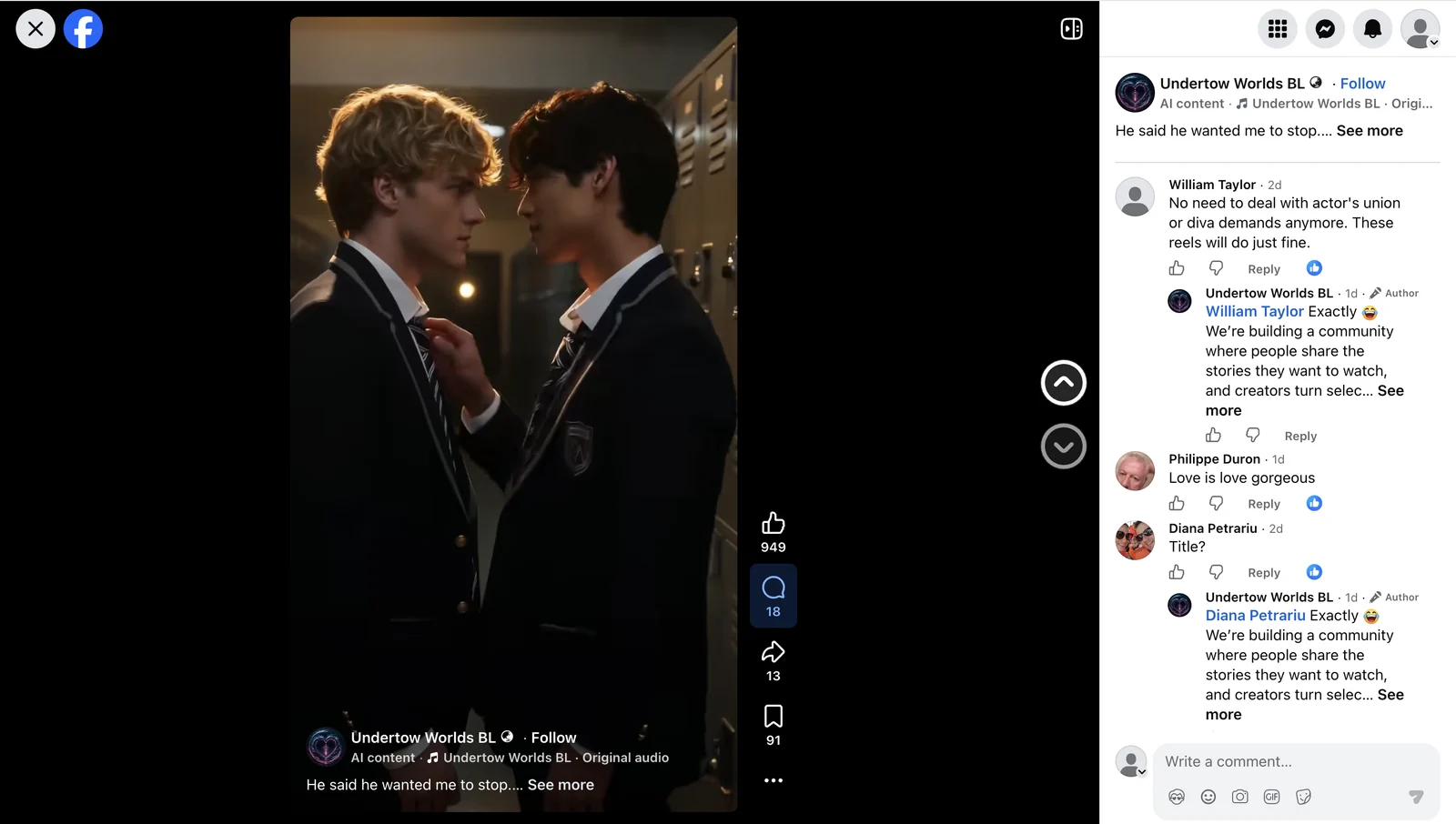
4. Respond to comments promptly after publishing
After a video is posted, keep checking the comments, paying particular attention to plot ideas, character preferences, and next episode suggestions from users.
When replying to comments, don’t just reply with “Thank you” but try to continue the discussion.
When a user says they liked it:
Thank you! More scenes are coming 👀 What would you like to see happen next?
When a user asks about the next episode:
We’re planning the next scene now. Who do you think should make the first move?
5. Simply record content performance
There is no need to create an overly complicated data table after publishing, at least record:
- Which video has better views and engagement;
- Which character relationship is the most popular;
- Which question brings more comments;
- Which comments generated new plot ideas;
- Which piece of content resulted in more profile visits or link clicks.
To judge whether a piece of content is worth continuing to produce, you can’t just look at the number of views. Content that can bring real discussions and link visits is more suitable for development into a short series or follow-up direction.
Output at this stage
- Consistently publish 1-2 short videos every day;
- Generate adapted copy for different platforms;
- Continuously respond to comments and collect user needs;
- Identify what content is worthy of continued production and expansion.
Phase 6: Establish daily operating rhythm and continue to optimize
After the account enters normal operation, it is recommended to publish 1-2 short videos every day. The same core video can be published to multiple platforms, but the title, body length, tags, and CTA should be adjusted individually according to the platform.
Daily standard process
Review yesterday’s data
→ Find trending content and update the topic library
→ Choose the plot direction that users are most concerned about
→ Make and check videos with AI Doer
→ Generate platform-specific copy and publish it
→ Reply to comments
→ Record data and adjust direction for next round
Weekly review highlights
Review at least once a week:
- Which first-three-second hooks increase views and retention;
- Which questions are easier for users to answer;
- Which story gets continuous discussion instead of one-time popularity;
- Which users have been converted from viewers to regular participants;
- What content directions should be continued, adjusted, or discontinued next week.
Recommended core indicators to pay attention to
- Content indicators: views, completion rate, comments, shares and saves;
- Traffic indicators: profile visits and Bio clicks;
Phase 7: After accumulating natural traffic, begin proactive outreach
Proactive outreach should not begin immediately when a new account is created. In the early stage, you should first accumulate a certain number of fans, works and real interactions by continuously publishing content, replying to comments, and relying on natural traffic.
When the account already has stable content, a basic follower base, and a normal interaction history, use AI Doer’s comment-based customer acquisition and DM tools to proactively reach highly matched users under similar content. This can both reduce the risks caused by high-frequency operations on a new account and allow reached users to see the complete content after visiting the profile, improving subsequent conversion results.
1. Prioritize comment-based outreach
You can use the comment outreach assistant of the AI Doer app store to participate in discussions in the video comments section of related topics and attract users who have shown interest in the category to visit the account homepage.
Example tasks:
Go and comment on Facebook prospects. Search term: <AI BL Drama> Number of people to reach: <30>
Comments are used to participate in real discussions around potential customers' videos, improve the natural visibility of the account among the target user group, and attract interested users to actively visit the homepage.
It is recommended to start with a small reach volume for comment-based customer acquisition, for example, first reaching 30 people per day. After 5 days of stable operation, gradually increase the reach volume, eventually increasing it to about 300 people per day. The specific reach limit should be determined according to actual operational performance.
2. Use the DM tool after the account receives active inquiries
When the account further accumulates fans and begins to receive active inquiries or clear interactions from users, AI Doer's DM customer acquisition and DM reply tools can be used.
DM tools can help:
- Answer users’ questions about Drama content;
- Follow up with users who have clearly expressed interest.
Goals of this stage
This stage is intended to further expand the target audience through proactive outreach after organic traffic has accumulated a certain user base, rather than directly carrying out large-scale “traffic interception” during the account cold-start stage.
The core sequence is:
First obtain organic traffic and establish account credibility through high-quality content. Then use AI Doer to proactively reach highly matched users under similar content and maintain continuous exposure in front of high-potential customers.